Creating a High-Quality Lost and Found Notebook for KDP: A Comprehensive Guide
Lost and Found Notebooks have become increasingly popular, especially in the self-publishing world. These notebooks serve as essential tools for keeping track of misplaced items, making them a valuable resource for both personal and professional use. If you're looking to publish a Lost and Found Notebook on Amazon KDP, this guide will walk you through the process, from design to upload.
Understanding the Purpose of a Lost and Found Notebook
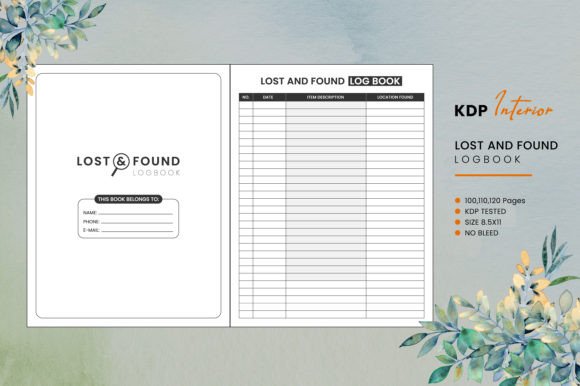
A Lost and Found Notebook is a practical tool designed to help individuals or organizations keep a record of lost and found items. Whether it's for a school, a community center, or a family, these notebooks provide a structured way to document and manage lost items, increasing the chances of their return. The notebook typically includes sections for item descriptions, dates, locations, and contact information.
Key Features to Include
- Item Description: A detailed section for writing what the item is, including any unique identifiers like color, size, or brand.
- Date and Time: Space to record when the item was lost or found.
- Location: Where the item was last seen or where it was found.
- Contact Information: A place to note the finder's or owner's contact details.
- Status: A column to update the status of the item (e.g., claimed, unclaimed).
Choosing the Right Page Count
The number of pages in your Lost and Found Notebook can vary depending on its intended use. Common options include 100, 110, and 120 pages. For a more comprehensive record-keeping system, opt for a higher page count. This ensures that the notebook can be used for an extended period without needing frequent replacements.
High-Resolution Interiors
Quality is key when it comes to publishing on KDP. Ensure that your notebook interiors are high-resolution, with clear and legible text and lines. This not only enhances the user experience but also meets the standards set by Amazon KDP.
No Bleed and Trim Size
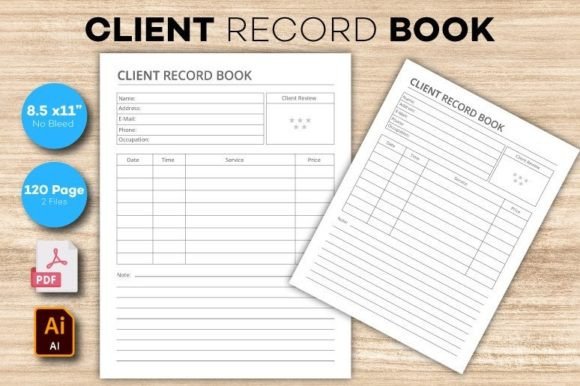
Your Lost and Found Notebook should be designed with no bleed and a trim size of 8.5 x 11 inches. This standard size is widely used and familiar to most users, making it a practical choice. No bleed means that the content does not extend beyond the trim line, which simplifies the printing process.
Editable Source File EPS
Providing an editable source file in EPS format is beneficial for those who want to make customizations. This allows users to modify the layout, add branding, or adjust the design to better suit their needs. It's a value-added feature that can set your notebook apart from others in the market.
Uploading Your PDF to Amazon KDP
Once your Lost and Found Notebook is designed and ready, you can upload the PDF file directly to Amazon KDP. Here are some steps to ensure a smooth upload:
- Log into your Amazon KDP account.
- Create a new book entry and fill in the necessary details such as title, author name, and keywords.
- Upload your PDF file, ensuring it meets all the required specifications.
- Review the preview to check for any formatting issues.
- Publish your notebook and set the price and distribution options.
Marketing and Promoting Your Lost and Found Notebook
After publishing, it's important to promote your Lost and Found Notebook to reach your target audience. Consider the following strategies:
- Social Media: Share your notebook on platforms like Facebook, Instagram, and Twitter to reach a broader audience.
- Email Marketing: Send out newsletters to your subscribers, highlighting the benefits and features of your notebook.
- Amazon Advertising: Utilize Amazon's advertising tools to increase visibility and drive sales.
- Blogging and SEO: Write blog posts about the importance of lost and found records and how your notebook can help. Use relevant keywords to improve search engine rankings.
Conclusion
Creating a Lost and Found Notebook for KDP is a rewarding endeavor that can provide a valuable resource to many. By focusing on high-quality design, practical features, and effective marketing, you can successfully publish and promote your notebook. Remember to always prioritize the user experience and meet the standards set by Amazon KDP to ensure a successful launch.